
Install
Health Relay is not on the App Store yet. You build it from source with Xcode and install it on your own iPhone, which takes about ten minutes.
What you need
Section titled “What you need”- An iPhone with iOS 17 or later. Workout effort scores need iOS 18.
- A Mac with Xcode 27 or later.
- A paid Apple Developer Program membership. Xcode refuses HealthKit on a free personal team, and the background delivery that keeps your destinations current needs the paid program’s entitlement. A development build signed this way runs for a year.
- XcodeGen, which generates the
Xcode project:
brew install xcodegen.
Build and run
Section titled “Build and run”-
Clone the repository and generate the project:
Terminal window git clone https://github.com/patsissons/health-relay.gitcd health-relay/ioscp Local.xcconfig.example Local.xcconfigxcodegen -
Put your team ID in
Local.xcconfig. It is the 10-character ID under Membership details at developer.apple.com/account.DEVELOPMENT_TEAM = ABCDE12345 -
Open
HealthRelay.xcodeproj. In Xcode › Settings › Accounts, sign in with the Apple ID of your developer account. -
Connect your iPhone, choose it as the run destination and press Run. The first time, enable Developer Mode on the phone when iOS asks (Settings › Privacy & Security › Developer Mode).
-
In Health Relay, tap Allow Health access on the Status tab. In the sheet, tap Select All, scroll to the end and tap Continue (on iOS 26 and earlier: Turn On All, then Allow).
-
iOS 27 then asks how much history to share. Either choice works: Health Relay never sends more than the last 35 days, and it never sends a day from before the history you shared, so nothing at a destination is erased by a day it couldn’t read.
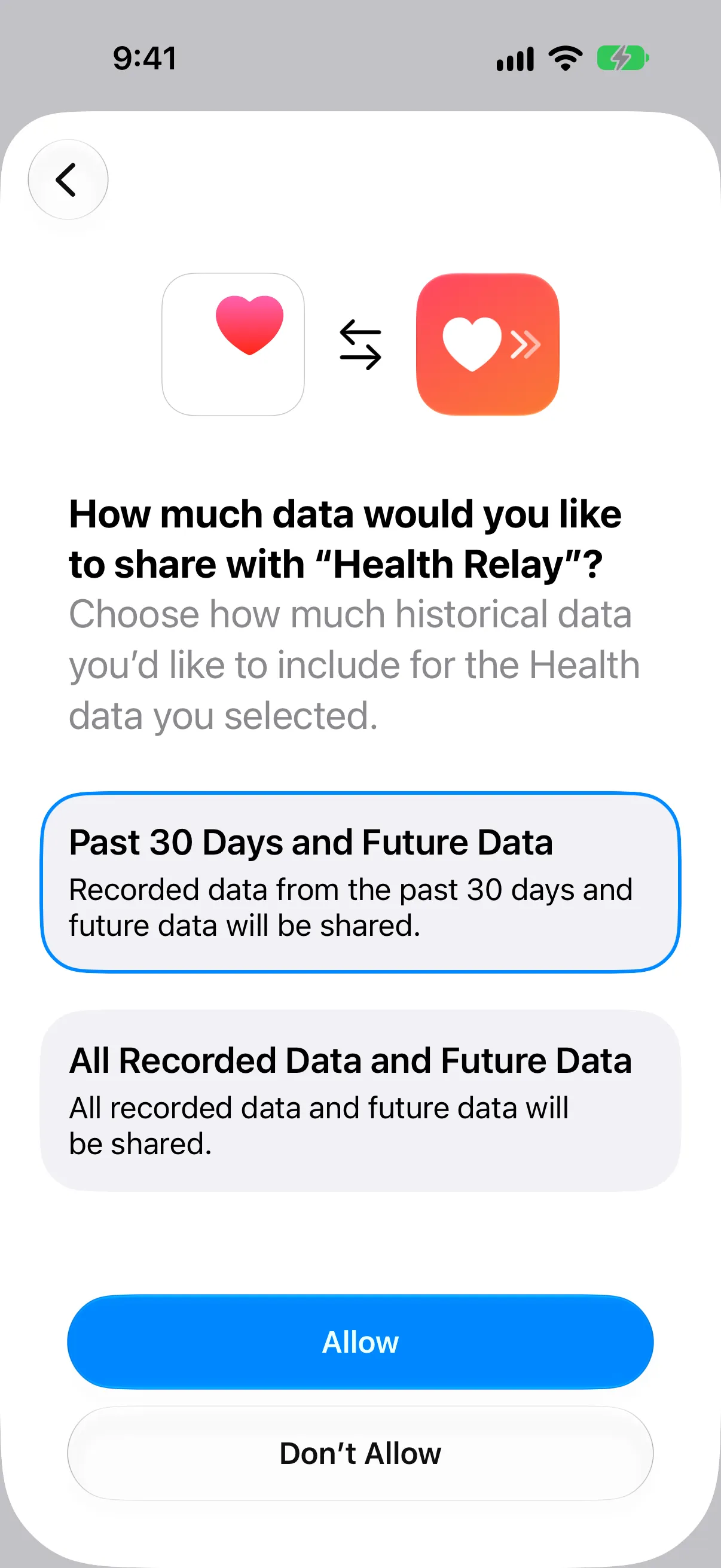
Then add your first destination.
Keep it running in the background
Section titled “Keep it running in the background”Health Relay syncs on its own when Health records something new, and once a day around 06:30. For that to work:
- Leave Background App Refresh on for Health Relay (Settings › General › Background App Refresh).
- Don’t force-quit the app from the app switcher. iOS does not wake apps the user has swiped away.
See When it syncs for the details.